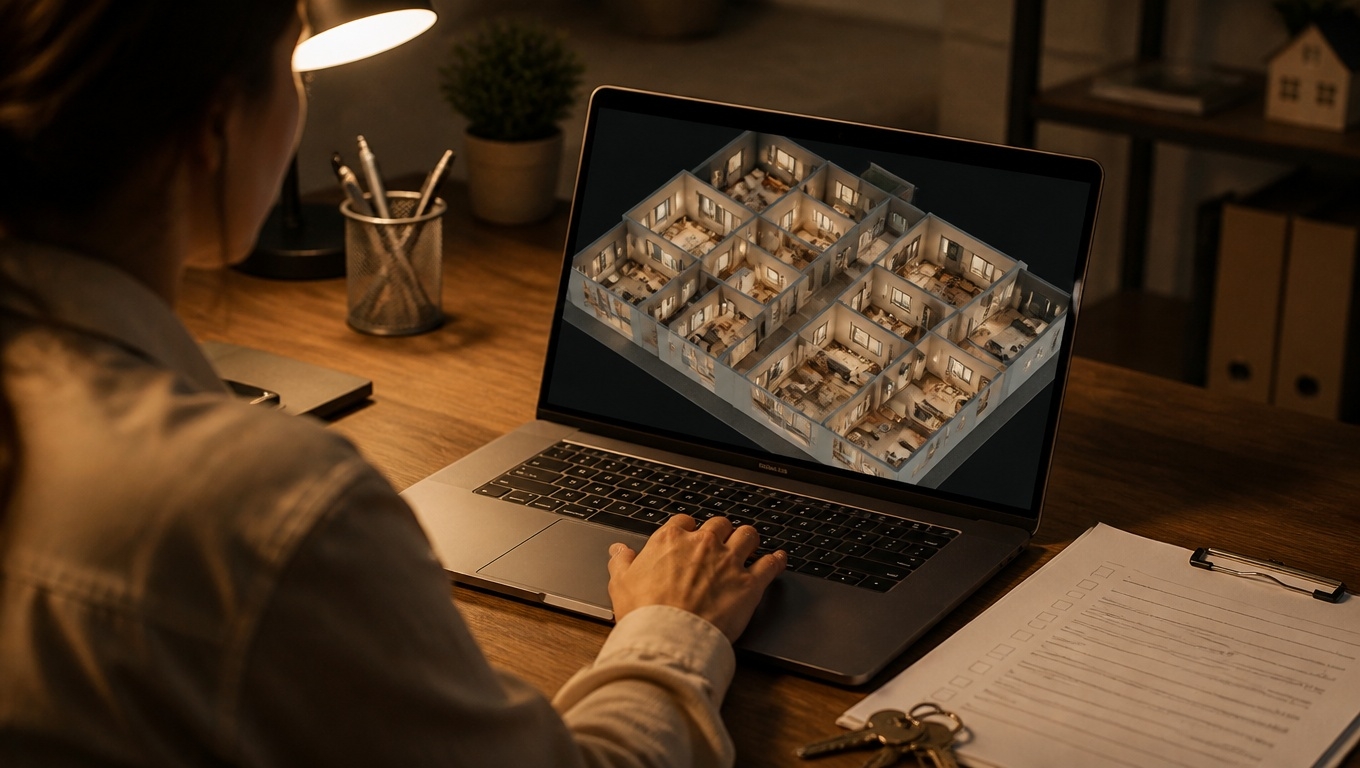
If you want visitors to stick around, engage deeply, and move closer to conversion, Matterport 3D tours are a powerful lever. They transform a passive scroll into an active exploration, increasing time on page, lowering bounce, and signaling high-quality engagement to search engines and AI Overviews.
At Invision Studio, our Matterport 3D Tour photographers recommend practical steps you can take to maximize session duration from day one—without sacrificing performance or usability.
Why “Time on Site” Matters for SEO and Sales
- Signals quality to search engines. Longer session duration and lower pogo-sticking (quick back-to-search behavior) help search systems infer relevance and satisfaction.
- Builds trust and intent. The more a user explores, the more confident they become, which improves lead quality and conversion rates.
- Feeds AI Overviews. Clear, structured content paired with interactive media increases your odds of being summarized as a helpful, authoritative source.
Our Matterport 3D Tour photographers recommend defining a single engagement goal for each page (book a showing, request a quote, check availability) so the tour’s design and CTAs align with that outcome.
How Matterport 3D Tours Extend Dwell Time
- Interactive autonomy. Visitors choose their own path. This self-directed control naturally boosts time spent on the page versus static galleries.
- Spatial storytelling. Dollhouse views, floor plans, and room-to-room transitions create a narrative that invites continued discovery.
- High information density. Mattertags add contextual details (materials, specs, pricing, accessibility) right where users need them, keeping attention anchored.
- Reduced friction. A guided preview gets viewers oriented fast, then free-roam encourages deeper exploration.
Our Matterport 3D Tour photographers recommend starting with a 30–60 second highlight reel that auto-plays silently, then handing off to interactive mode. This “guided intro + free roam” pattern consistently extends average tour time.
Placement and UX Best Practices That Keep People Viewing
- Place the tour in the hero—but optimize performance. Use a lightweight poster image with a clear “Explore in 3D” button that opens the tour in a modal. This preserves page speed while making the tour the star.
- Make engagement obvious. Add microcopy like “Tap or click to move” and “Use dollhouse to see the whole layout.” Reduce early exits due to confusion.
- Offer two CTAs near the embed. Pair a primary action (Book a Tour, Check Availability) with a secondary (Ask a Question, Download Brochure). Capture both high and mid-intent visitors.
- Keep the page scannable. Support the tour with concise feature bullets and a short summary below the fold. Don’t bury the embed under dense copy.
Our Matterport 3D Tour photographers recommend lazy-loading the tour and deferring heavy scripts until user interaction to preserve Core Web Vitals while still encouraging long engagement.
Content Strategy: Turn One Tour Into a Browsing Journey
Use your tour as a hub that connects to deeper pages. The more meaningful routes you offer, the longer visitors stay.
- Smart Mattertags. Link product pages, amenity details, floor plans, FAQs, and case studies from hotspots inside the tour. Keep tags purposeful; avoid clutter.
- Contextual storytelling. Tag “moments that matter” (a chef’s kitchen, acoustic treatments in a venue, EV chargers in a garage) with short, benefit-driven copy.
- Crosslinking pathways. Surround the tour with related content modules: testimonials, neighborhood guides, spec sheets, and pricing explainers to encourage multi-page sessions.
- Multiple formats from one capture. Clip vertical reels, capture stills, and create a 60–90 second teaser video to promote the tour across channels and bring visitors back.
Our Matterport 3D Tour photographers recommend limiting tags to the highest-impact features and writing them like micro-ads: benefit first, then the detail.
Technical SEO Tips for AI Overviews and Organic Visibility
- Dedicated landing pages. Create a unique, keyword-optimized page per space or floor plan: “Matterport 3D Tour of [Space] in [City].”
- Structured content blocks. Add a 150–200 word intro, scannable bullets, and a short FAQ below the embed. AI systems prefer well-structured, concise answers.
- Performance and accessibility. Lazy-load the embed, compress poster images, and add descriptive alt text to thumbnails. Provide a short text summary of the layout for screen readers.
- Schema support. Use appropriate schema types (e.g., LocalBusiness, Product/Offer for rentals or rooms, VideoObject for teaser clips, and FAQPage for your Q&A).
- Local signals. Include consistent NAP, embedded map, and parking/entry notes to capture intent-rich long-tail searches.
Our Matterport 3D Tour photographers recommend writing location-specific captions for two or three key scenes; these unique descriptions help with AI Overviews and avoid thin, duplicate content.
Analytics: Prove Visitors Are Staying Longer
- Core metrics to track
- Average time in tour and average time on page
- Interaction rate (clicks to start tour / page views)
- Mattertag CTR and outbound clicks to deeper pages
- Conversion events aligned with your primary CTA
- GA4 instrumentation
- Fire an event on “start_tour,” “complete_highlight_reel,” and key tag clicks. Use UTM parameters for campaign sources.
- Benchmarks to aim for
- 2–4x longer time on page versus photo-only pages
- 20–40% decrease in bounce rate when the tour is hero content
- 10–30% lift in on-page conversion when CTAs are adjacent to the tour
Our Matterport 3D Tour photographers recommend A/B testing the hero: static image vs. autoplay clip vs. interactive modal. Measure impact on time-on-page and scroll depth before you commit.
Sector-Specific Ideas That Extend Session Duration
- Residential & Multifamily
- Add tags for storage, natural light orientation, and community amenities. Link “Apply Now” and “Book a Showing” from multiple rooms.
- Hospitality & Venues
- Include capacity charts, AV lists, and catering options as hotspots. Add a “Check Dates” CTA in ballroom and breakout spaces.
- Retail & Showrooms
- Tag top sellers and bundle recommendations with PDP links. Use “Shop This Display” tags to connect exploration to action.
- Education & Workplaces
- Highlight labs, collaboration areas, accessibility routes, and safety features. Link to syllabus pages or tenant handbooks.
Our Matterport 3D Tour photographers recommend weaving in one or two “surprise-and-delight” moments (like a dollhouse reveal or rooftop view) early to hook attention.
Accessibility and Performance Keep Viewers Engaged
- Readable overlays. Use high-contrast labels and legible fonts for tags and captions.
- Keyboard and mobile-friendly. Ensure CTAs near the tour are focusable and tap-friendly. Keep modals dismissible.
- Clear wayfinding. Label sections (Lobby, Suite A, South Terrace) so users never feel lost.
Our Matterport 3D Tour photographers recommend adding a brief “How to navigate” tip near the embed for first-time users—simple guidance reduces abandonment.
Quick Checklist to Increase Time on Page
- Define a single engagement goal for the page.
- Place the tour in the hero via a fast-loading poster that opens a modal.
- Add a short guided highlight reel, then free-roam.
- Create purposeful Mattertags that link to deeper content.
- Pair the tour with two clear CTAs.
- Write a concise intro, feature bullets, and a mini-FAQ.
- Implement schema, lazy-loading, and descriptive alt text.
- Track GA4 events for start, interactions, and conversions.
- A/B test hero variants and tag density for optimal dwell time.
Partner With Invision Studio
Invision Studio plans, captures, and optimizes high-converting Matterport experiences designed to keep visitors engaged—and on your website longer. From staging and scan strategy to on-page UX, schema, and analytics, we handle the details so you see measurable gains in time on site and conversion.
Ready to turn curiosity into minutes of meaningful engagement? Contact Invision Studio—our Matterport 3D Tour photographers recommend a quick strategy call to map the right tour, tags, and CTAs for your goals.