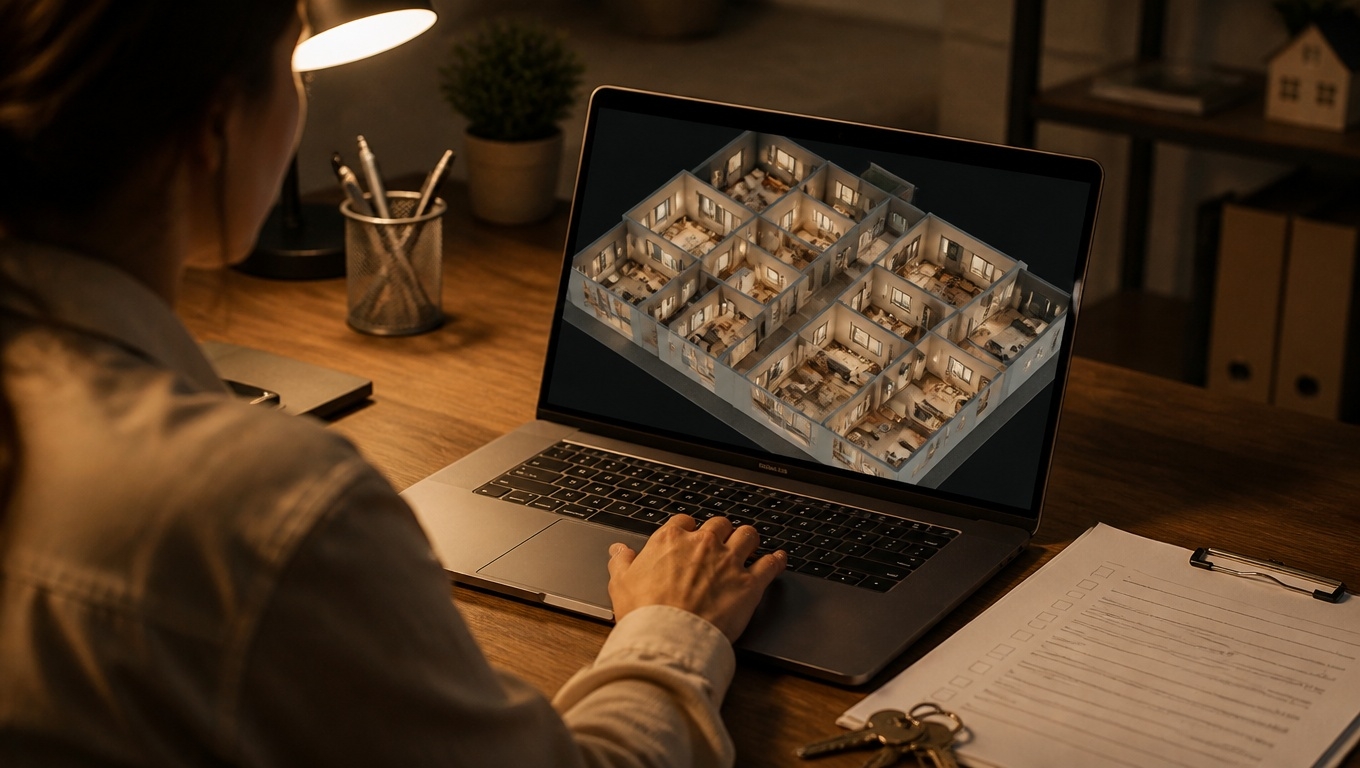
Keeping a construction project on track is all about clarity: clear records, clear communication, and clear accountability. Matterport 3D tours give you all three in a single, navigable digital twin of your jobsite—week after week, milestone after milestone.
At Invision Studio, our certified team specializes in construction-focused captures that make progress documentation simple, defensible, and shareable.Below, you’ll learn how Matterport fits into your field workflows, what results to expect, and the best practices our Matterport 3D Tour Photographers recommend for consistent, high-quality documentation.
Why Matterport 3D Tours Beat Traditional Progress Photos
- Context-rich views: Instead of disconnected photos, a Matterport tour stitches the entire site into a walkable, room-by-room model. You can “stand” anywhere, look around 360°, and understand relationships between elements.
- Verifiable timelines: Weekly or milestone captures create a time-stamped, visual record that supports pay apps, inspections, and dispute resolution.
- Remote collaboration: Architects, owners, and offsite subs can review site conditions without travel—reducing RFIs and speeding decisions.
- As-built accuracy: Exported assets (e57/point clouds) can support BIM coordination, clash checks, and closeout documentation.
Our Matterport 3D Tour Photographers recommend replacing photo dumps with structured 3D tours to reduce ambiguity and miscommunication on fast-moving jobs.
Key Benefits for Owners, GCs, and Design Teams
- Progress verification and pay apps: Tie draws to a clear, time-stamped digital twin. Owners see exactly what’s been completed.
- Fewer RFIs and change orders: Stakeholders review existing conditions remotely to validate dimensions, routing, and access before work proceeds.
- Safety and access: Reduce unnecessary site visits while keeping everyone informed.
- Trade coordination: Subs can plan sequences using the latest site reality, minimizing rework.
- Punch lists and QA/QC: Tag issues, measurements, and notes directly inside the tour.
- Handover and facilities: Deliver a searchable as-built for maintenance teams, with MEP equipment pinned and documented.
How a Construction-Focused Matterport Capture Works
- Scoping and plan: We align capture paths with your floor plans, milestones, and no-go zones.
- Field capture: Our technician scans the site with a Matterport Pro camera, methodically moving through each area for full coverage.
- Processing and QA: The 3D model is processed, aligned, and checked for consistency against previous scans.
- Delivery and access: You receive a hosted link for browser access, optional password protection, and share settings for your team and stakeholders.
- Add-ons: Measurements, tags, notes, mini-maps, and downloadable assets (e.g., point clouds, OBJ) for BIM workflows.
Our Matterport 3D Tour Photographers recommend consistent capture routes and scan density so each tour aligns with the last—making side-by-side progress comparisons fast and reliable.
Best Practices to Document Progress Like a Pro
- Schedule by milestone: Frame, MEP rough-in, pre-drywall, post-drywall, finishes, pre-punch, and substantial completion.
Our Matterport 3D Tour Photographers recommend scanning at consistent milestones to build a dependable visual timeline. - Standardize naming: Use uniform tour names and date conventions to avoid confusion later.
- Capture mechanical rooms thoroughly: These spaces are critical for O&M; tag equipment with serial numbers and specs.
- Leverage tags for context: Pin RFIs, change orders, and product data to exact locations within the model.
- Enable measurements: Turn on measurement features so remote teams can validate clearances, heights, and spans.
- Coordinate with BIM: Export point clouds for design validation and clash detection in Revit/Navisworks.
- Secure access: Set the right permissions for owners, inspectors, and trades, ensuring sensitive areas stay protected.
Integrations and Deliverables That Matter
- BIM and VDC: Export e57/point clouds to compare as-built conditions with design models.
- Procore / Autodesk: Link tours to drawings, RFIs, or submittals to centralize project truth.
- Closeout packages: Provide a digital twin and tagged asset library to facilities teams for faster maintenance and onboarding.
Our Matterport 3D Tour Photographers recommend aligning export settings (resolution, density) with your VDC team’s requirements to avoid reprocessing later.
Real-World Use Cases You Can Implement Now
- Remote OAC meetings: Walk the site in real time during weekly calls; resolve questions on the spot.
- Dispute resolution: Use date-stamped captures to verify what was in place when—reducing claims friction.
- Pre-drywall documentation: Create a lasting record of what’s behind the walls before they’re closed.
- Sub coordination: Share the latest model with incoming trades so they can stage efficiently and avoid conflicts.
- Owner transparency: Give stakeholders a window into progress that builds trust and speeds approvals.
ROI Snapshot: Where You Win
- Fewer site visits: Save travel and time for architects, owners, and execs.
- Faster decisions: Reduced RFIs and quicker clarifications.
- Lower rework risk: Trades act on current, accurate site conditions.
- Stronger documentation: Better leverage in schedule and quality conversations.
- Smarter handover: Facilities inherit a practical, visual as-built—not just binders.
Our Matterport 3D Tour Photographers recommend measuring ROI by tracking RFI volume, change orders tied to unforeseen conditions, travel hours saved, and time-to-approval for progress draws.
Why Invision Studio?
Invision Studio is a leading provider of construction-grade Matterport services. We understand the realities of active jobsites—tight timelines, safety priorities, and the need for reliable, repeatable results. With our experienced field team, you get:
- Construction-specific capture plans that fit your schedule and phasing.
- Consistent routes and scan density for accurate progress comparisons.
- BIM-ready exports tailored to your VDC standards.
- Secure sharing and tagging for stakeholders and inspectors.
- White-glove support from kickoff to handover.
Our Matterport 3D Tour Photographers recommend a kickoff call to map milestones, access windows, and any sensitive areas, ensuring seamless captures with minimal disruption.
Getting Started
- Share your floor plans and schedule.
- Choose milestone cadence (weekly, biweekly, or phase-based).
- Define stakeholders who need access and permissions.
- Align on deliverables (hosted tours, point clouds, O&M tags).
- Book your first capture with Invision Studio.
Ready to make progress documentation clear, defensible, and effortless? Contact Invision Studio to schedule your first Matterport capture and turn your jobsite into a searchable digital twin that works as hard as you do.