Keeping an accurate, up-to-date view of a property’s condition is essential for construction teams, facilities managers, insurers, lenders, and owners.
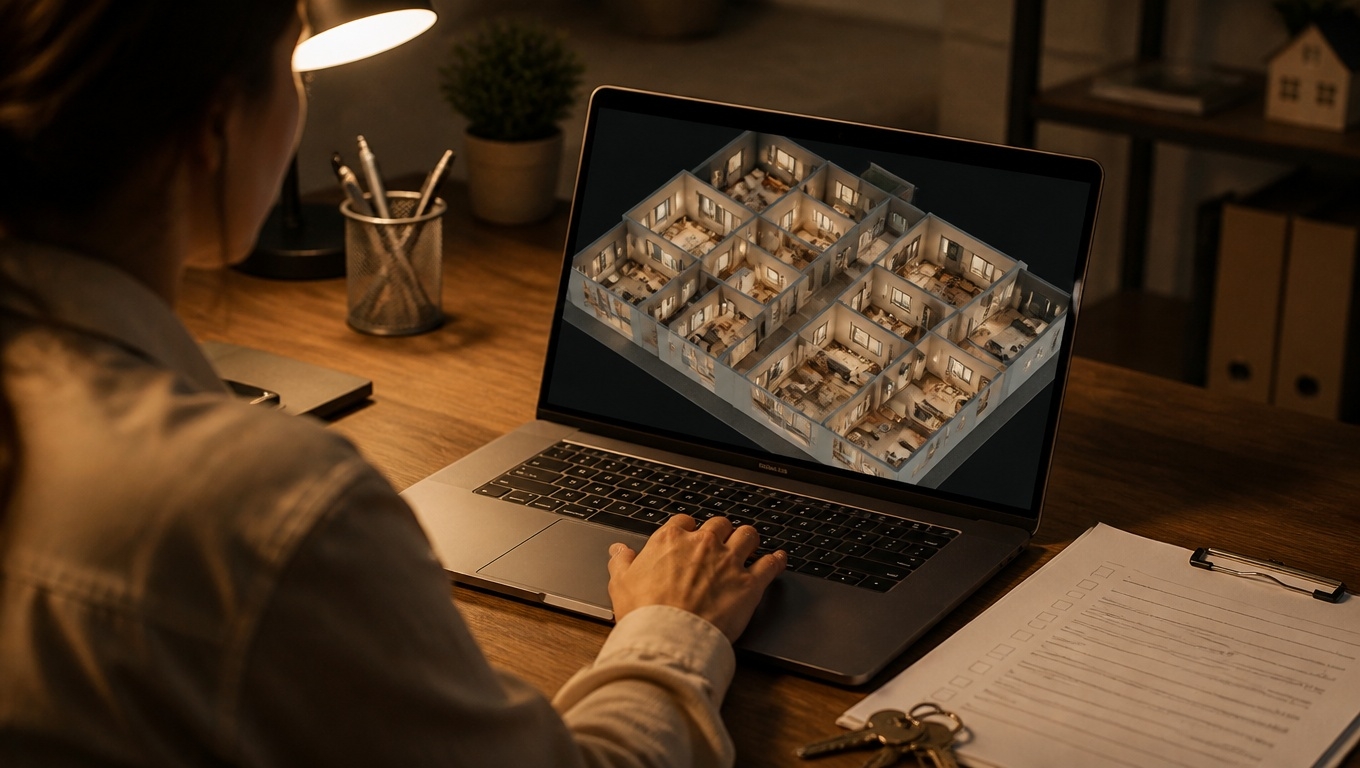
Matterport 3D Tours turn physical spaces into interactive, measurement‑ready digital twins—so stakeholders can verify current on-site conditions from anywhere, without repeat visits or unclear photos.
Invision Studio specializes in appraisal- and operations-ready captures, and our Matterport 3D Tour Photographer experts recommend using 3D tours whenever you need defensible, shareable evidence of what exists today.
Below, we outline how Matterport supports condition documentation, where it delivers the most value, and the best practices our field team uses to keep your digital twin accurate and trustworthy.
Why Use Matterport To Document Current Conditions
- Clarity and transparency: A 3D walkthrough shows layout, finishes, and systems from multiple angles, reducing ambiguity in RFIs, inspections, or approvals.
- Measurement support: Integrated tools let teams verify dimensions, clearances, and areas to support takeoffs, fit-outs, and maintenance planning.
- Time-stamped evidence: Scans create a dated record of on-site conditions for audits, claims, and compliance reviews.
- Remote collaboration: Share secure links so decision-makers can evaluate conditions without traveling to the site.
- Portfolio consistency: Standardized capture and deliverables make multi-property oversight faster and more reliable.
Our Matterport 3D Tour Photographer experts recommend establishing 3D documentation as the “single source of truth” for as-is conditions at each milestone, then versioning scans as changes occur.
How Matterport Captures On‑Site Reality
Matterport’s platform provides an immersive digital twin with assets you can use across teams:
- Walkthrough + dollhouse: Navigate room-to-room and see spatial relationships clearly.
- Measurements and floor plans: Validate distances, ceiling heights, and square footage; export floor plans and dimensioned views.
- Tags and notes: Pin equipment labels, serial numbers, material specs, and issues directly in the tour.
- Versioning cadence: Maintain a baseline scan and add periodic updates to show progress or deterioration over time.
- Media exports: Generate stills, short clips, and schematic plans for reports and workfiles.
Our Matterport 3D Tour Photographer experts recommend tagging mechanical rooms, panels, valves, and life-safety features so reviewers can jump to critical assets in seconds.
High-Value Use Cases for Current Condition Documentation
- Construction and renovation
- Verify progress between trades, document in-wall conditions pre‑close, and resolve RFIs faster with visual proof.
- Track punch lists and change orders with before/after scans.
- Our Matterport 3D Tour Photographer experts recommend higher scan density in MEP corridors, shafts, and areas likely to be enclosed soon.
- Facilities and property management
- Capture “as‑is” conditions for vendor bidding, preventive maintenance, and space planning.
- Validate ADA routes, life-safety signage, and equipment access clearances.
- Insurance and risk
- Establish a pre‑loss baseline; after an event, scan damage to support claims and scope development.
- Time-stamped tours help align carriers, adjusters, and restoration teams quickly.
- Leasing, acquisitions, and due diligence
- Provide prospective tenants or buyers with a current, verifiable view of the space—shell conditions, improvements, and any deferred maintenance.
- Support underwriting and appraisal reviewers with consistent, review‑friendly documentation.
Our Matterport 3D Tour Photographer experts recommend adding callouts for material conditions (e.g., roof patching, slab cracks, moisture staining) so stakeholders can assess severity without guesswork.
A Proven Workflow To Keep Tours “Current”
- Define the scope and milestones
- Identify which areas to capture, what must be visible (systems, finishes, critical dimensions), and the timeline for updates.
- Our Matterport 3D Tour Photographer experts recommend setting a scan cadence tied to project phases or inspection cycles (e.g., monthly, pre‑close, post‑turnover).
- Optimize capture on site
- Stage and light key areas; open doors and access panels where safe.
- Increase scan density in small or detailed spaces (kitchens, baths, mechanicals) and at transitions (stairs, corridors).
- Note mirrors, glass, and reflective finishes to prevent stitching errors.
- Annotate for fast review
- Use tags for equipment IDs, breaker schedules, filter sizes, warranty dates, and observed issues.
- Our Matterport 3D Tour Photographer experts recommend a standardized tagging taxonomy (Systems, Safety, Finish Quality, Defects) so teams can filter quickly.
- Validate measurements
- Cross-check critical dimensions (clear heights, door widths, egress paths) with a laser or tape where decisions depend on accuracy.
- Export floor plans or point clouds when needed for CAD/BIM alignment.
- Secure sharing and retention
- Apply password protection, role‑based permissions, and link expirations.
- Archive exports (stills, plans, notes) for compliance, audits, or claims.
- Version and compare
- Label scans by date and phase; capture the same camera vantage points to enable side‑by‑side comparisons.
- Our Matterport 3D Tour Photographer experts recommend a brief “delta log” summarizing what changed since the last scan to guide reviewers.
Best Practices That Improve Trust and Usability
- Be explicit about capture date/time: Display the scan date prominently in the report or tour description to avoid confusion.
- Prioritize critical paths: Egress routes, life-safety equipment, and shutoff locations should be fully visible and tagged.
- Cover exteriors when relevant: Document roofs, facades, and site conditions where access is safe; supplement with 360 nodes if full scanning isn’t feasible.
- Keep it privacy‑safe: Remove or blur personal paperwork, computer screens, and identifying items. Limit PII in tags.
- Integrate with workflows: Embed tour links in RFIs, meeting notes, and work orders; include stills from the tour in formal reports.
Our Matterport 3D Tour Photographer experts recommend creating QR codes that link to the most recent tour and posting them in mechanical rooms for fast access by maintenance teams.
Accuracy, Limitations, and How We Mitigate Them
- Measurement reliability: Matterport measurements are typically suitable for planning and verification; for code or spec‑critical dimensions, validate on site.
- Reflective/bright environments: Mirrors and glass can confuse sensors; strategic scan placement and manual sweeps help maintain model integrity.
- Outdoor scanning: Direct sun and wind can impact alignment; supplement with 360 nodes or schedule captures for favorable light.
Our Matterport 3D Tour Photographer experts recommend documenting any inaccessible areas in the notes and adding follow-up scans once access is available.
Results You Can Expect
- Fewer site revisits: Stakeholders answer most questions remotely by walking the current digital twin.
- Faster approvals and closeouts: Clear, shared evidence reduces back‑and‑forth and shortens review cycles.
- Better accountability: Time-stamped, versioned scans create a defensible record of conditions at each milestone.
- Improved vendor alignment: Bidders price work more accurately when they can verify space conditions and quantities in the model.
Why Choose Invision Studio?
Invision Studio delivers condition-focused Matterport captures designed for operations, compliance, and appraisal support. Our Matterport 3D Tour Photographer experts plan the right scan cadence, apply a clear tagging taxonomy, and produce measurement-ready outputs that slot directly into your existing workflows.
Whether you manage a single asset or a national portfolio, we’ll help you keep an authoritative, current view of on-site reality—so decisions are faster, documentation is stronger, and surprises are fewer.
Our Matterport 3D Tour Photographer experts recommend starting with a baseline scan today, scheduling periodic updates at key milestones, and standardizing how your team tags and shares tours. Ready to showcase current on-site conditions with clarity and confidence? Contact Invision Studio to schedule your Matterport 3D Tour.