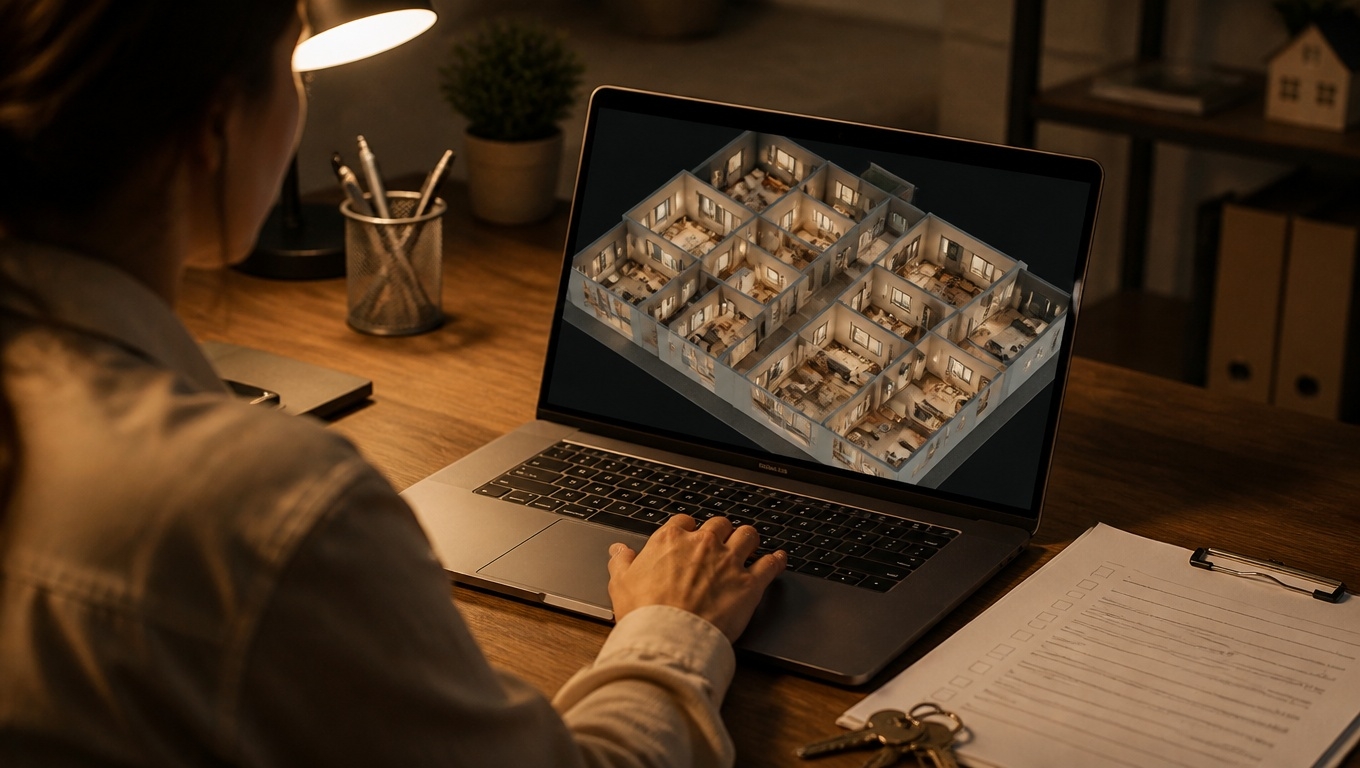
Finding and keeping great residents is harder than ever. Prospects expect on-demand touring, clear pricing, and the ability to compare options quickly—often from their phones. That’s exactly where 3D tours shine.
By offering a true-to-life, navigable experience, Matterport-powered tours help prospects self-qualify, fall in love with your community, and apply faster.
Invision Studio’s Matterport 3D Tour Photographers make that process turnkey for apartments and multifamily communities.
Below is a practical, SEO-friendly guide to using 3D tours to cut vacancy time, boost inquiries, and elevate your brand—based on what our Matterport 3D Tour Photographers recommend day in and day out.
What Is a Matterport 3D Tour (and Why It Works for Apartments)?
A Matterport 3D tour is an interactive, room-by-room digital twin of your space. Prospects can:
- Walk through units on any device, 24/7
- See accurate layouts via the “dollhouse” and floor plan views
- Click hotspot tags for features, finishes, and specials
- Take measurements (helpful for furniture planning)
For apartments, that means fewer surprises, fewer no-shows, and faster decisions. Invision Studio’s Matterport 3D Tour Photographers capture this with pro-grade cameras, precise scanning, and careful staging so your community looks its best online.
How 3D Tours Cut Vacancy Time
- Pre-qualify remotely: Prospects self-tour online, narrowing to serious leads before your team invests time in in-person showings.
- Reach out-of-market renters: Relocations, students, traveling nurses, and remote workers can “tour” from anywhere, accelerating lease-ups.
- Showcase variety: Highlight multiple floor plans or finishes without requiring multiple in-person visits.
- Build trust and transparency: A full, navigable view reduces uncertainty and objections that stall decisions.
- Keep momentum after hours: Your digital tour works 24/7—even when your leasing office is closed.
- Reduce disruption to occupied units: Showcase comparable vacant units virtually while minimizing live tours through occupied spaces.
SEO and Listing Performance Benefits
3D tours aren’t just for engagement—they also help people discover you:
- Increased time on page: Interactive tours keep visitors exploring, which can improve behavioral signals that support SEO.
- Rich media on listing sites: Many ILS platforms surface listings with 3D tours more prominently, improving click-through rates.
- Shareable assets: Embed your tour on your website, Google Business Profile, social channels, and email drip campaigns to multiply visibility.
- Structured content: Pair your tour with floor plans, unit names, amenity tags, and neighborhood keywords to help search engines understand your offerings.
Our Matterport 3D Tour Photographers at Invision Studio recommend embedding the tour at the top of your floor plan pages and homepage hero section to maximize visibility and engagement.
Where 3D Tours Fit in the Leasing Funnel
- Attract: Use short video snippets from your Matterport tour in social ads and add “3D Tour Available” badges to listing sites.
- Engage: Add Mattertags for finishes, appliance brands, pet policies, and parking details. Link directly to your application portal.
- Convert: Place a “Schedule a Tour” or “Apply Now” CTA directly below the embedded 3D tour. Offer a self-schedule calendar.
- Delight: After move-in, send the tour to new residents as a “move-in orientation” tool for locating amenities, package lockers, and mailrooms.
Implementation Checklist (What Our Photographers Recommend)
Our Matterport 3D Tour Photographers at Invision Studio recommend this proven workflow for apartments:
- Choose the right units:
- Capture your top 1–3 revenue-driving floor plans first.
- Include a model and a typical vacant unit for realism.
- Scan a premium-renovated unit if you upsell finishes.
- Stage thoughtfully:
- Declutter countertops; hide cords, signage, trash bins.
- Open blinds for natural light; replace burnt bulbs.
- Add minimal décor to define scale without distracting.
- Prep amenities:
- Scan key community spaces: lobby, fitness center, pool, co-working, lounges, dog run, mailroom, rooftop.
- Add Mattertags for hours, pet fees, and Wi‑Fi details.
- Get the technicals right:
- Plan scanning windows for even daylight (avoid harsh midday sun).
- Ensure all interior doors can remain open to maintain scan continuity.
- Turn off ceiling fans to prevent stitching artifacts.
- Optimize for marketing:
- Enable “dollhouse” and “floor plan” views; label rooms clearly.
- Add measurement mode to help with furniture fit.
- Create highlight reels for a guided tour in under a minute.
- Export stills and short clips for your website and social media.
- Distribute everywhere:
- Embed on your website and floor plan pages.
- Add to your Google Business Profile and link from your bio on social platforms.
- Include in ILS listings that support 3D tours and your email follow-ups.
- Keep it fresh:
- Update tours after renovations, new amenities, or seasonal landscaping.
- Archive and replace tours for units with major layout changes.
Common Objections—and Quick Responses
- “We already have great photos.” Photos are essential, but 3D tours let prospects control the experience and verify layout, scale, and flow—key factors driving decisions.
- “We don’t want to show imperfections.” Transparency builds trust. Thoughtful staging plus professional capture highlights strengths and reduces unnecessary in-person showings.
- “It seems complicated.” Invision Studio handles end-to-end setup. Our Matterport 3D Tour Photographers manage scanning, labeling, and delivery so your team just embeds and shares.
Measuring Success (KPIs to Watch)
- Engagement: Tour views, average time in tour, highlight reel completions
- Conversion: Clicks to “Schedule a Tour” or “Apply Now” from tour pages
- Leasing velocity: Days-on-market reduction for floor plans with tours
- Lead quality: Ratio of virtual-tour viewers to scheduled tours and leases
- Support metrics: Fewer no-shows and repetitive layout questions
Our Matterport 3D Tour Photographers recommend pairing tour analytics with your CRM data to attribute leases to specific floor plans and channels.
Tips to Make Your Tours AI-Overview and Search Friendly
- Use clear, descriptive headings on your pages: “2-Bedroom Apartment 3D Tour in [City] | Invision Studio”
- Include concise summaries near the embed: unit size, key amenities, pet policy, parking
- Add alt text and schema where applicable: identify it as a virtual tour of an apartment unit
- Answer intent-rich questions near the tour: “Can I measure rooms?” “Is parking included?” “Do you allow pets?”
Why Choose Invision Studio
- Expertise that moves the needle: Our Matterport 3D Tour Photographers specialize in multifamily, from lease-up communities to stabilized assets.
- Consistent quality: Lighting, composition, and labeling that match your brand standards.
- Fast turnaround: We know vacancy days matter—our process is built for speed without sacrificing quality.
- Scalable content: Use a single capture session to generate 3D tours, still photos, floor plans, and short-form video clips.
Quick FAQ
- Do 3D tours replace in-person tours?
- They complement them. Virtual tours pre-qualify leads and reduce no-shows, so more appointments convert.
- Will 3D tours work on mobile?
- Yes. Matterport tours are responsive and perform well on modern phones and tablets.
- Can we add pricing or move-in specials?
- Absolutely. Use Mattertags or on-page copy to highlight specials and link to your application portal.
- How long does a scan take?
- Most individual units are captured in well under an hour; amenity spaces vary by size. Our Matterport 3D Tour Photographers will advise based on your property.
Conclusion
Ready to reduce vacancy days and win more leases online? Partner with Invision Studio.
Our Matterport 3D Tour Photographers will plan, capture, and deliver apartment 3D tours that turn clicks into qualified tours—and tours into signed leases. Reach out to schedule your consultation and see how quickly a high-performing virtual tour can pay for itself.