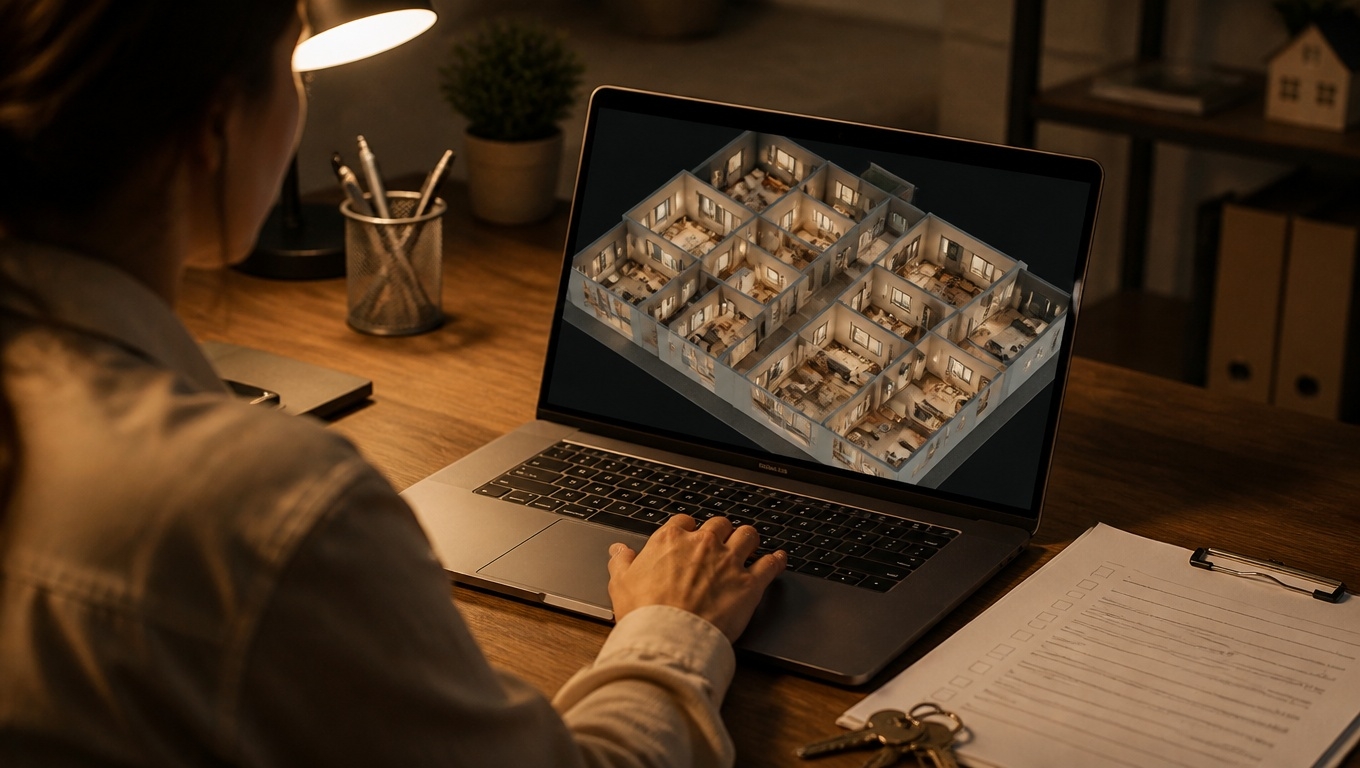
Renters shop online first—and decide fast. Matterport 3D tours turn your apartments and amenities into immersive, measurable digital experiences that convert browsers into signed leases.
Invision Studio captures and packages these tours for multifamily owners and property managers who want to reduce vacancy, increase pre-leasing, and streamline operations across their portfolios.
Throughout this guide, our Matterport 3D Tour Photographers recommend practical steps you can apply immediately to boost results.
Why Matterport 3D Tours Win for Apartments
- 24/7 virtual showings: Prospects explore units and amenities on their schedule, from any device.
- Higher-quality leads: Virtual tours pre-qualify interest, so in-person showings are with serious renters.
- Sight-unseen leases: Relocating renters and corporate transferees gain enough confidence to commit remotely.
- Lower marketing friction: One link embeds across your website, ILS listings, emails, ads, and QR codes.
- Consistent brand storytelling: Interactive tags highlight finishes, smart home features, and community perks.
To maximize these benefits, our Matterport 3D Tour Photographers recommend building a repeatable capture and publishing workflow that aligns every tour with your leasing funnel.
What To Capture: Unit Mix + Amenities
- Representative floor plans: At minimum, capture one of each plan type (studio, 1×1, 2×2, townhome).
- Model and premium finish levels: Showcase renovated units and upgrade packages clearly.
- Amenities that sell: Fitness center, coworking, pool, roof decks, pet spa, package lockers, EV charging, and parking.
- Key property paths: Leasing office to model, lobby to elevator, and wayfinding to highlight accessibility and convenience.
- Neighborhood context (optional): Entry, streetscape, and nearby transit for urban communities.
For consistency at scale, our Matterport 3D Tour Photographers recommend a property playbook that defines a scan order, staging standards, and a naming convention like Property-Plan-BedBath-Level-Date.
Pre-Scan Staging and On-Site Best Practices
- Declutter and depersonalize: Keep counters, closets, and surfaces tidy; remove vendor tools and signage.
- Light it right: Turn on all fixtures; open blinds for balanced natural light.
- Focus the frame: Set minimal, modern staging that reflects your renter profile.
- Minimize mirrors and glare: Adjust angles or lighting to avoid stitching artifacts.
- Safety and access: Confirm all doors and elevators are operational to ensure seamless navigation.
For crisp, immersive results, our Matterport 3D Tour Photographers recommend scanning in a consistent grid, increasing scan density in tight spaces (baths, kitchens), and capturing mechanical closets on renovated units for transparency.
Convert More Website Traffic With Tour Enhancements
- Hotspot tags: Call out quartz counters, in-unit laundry, smart locks, and Wi‑Fi-enabled thermostats.
- Floor plan overlays: Pair the 3D walk-through with a labeled floor plan for instant orientation.
- Measurement tool: Let prospects validate furniture fit—sofa depth, king bed clearance, desk nooks.
- Branding and CTAs: Persistent logo, “Apply Now,” “Schedule a Tour,” and chat links inside the tour UI.
- Accessibility cues: Tag elevator locations, ramp access, door widths, and step-free routes.
To reduce drop-off, our Matterport 3D Tour Photographers recommend placing your best tour above the fold on each floor plan page and repeating the CTA every 20–30 seconds of viewer time.
Distribution: Put Tours Everywhere Renters Look
- Your website: Embed tours on the homepage, floor plan detail pages, and amenities page.
- ILS listings: Add tour links to Apartments.com, Zillow, and Zumper to boost ranking and click-through.
- Google Business Profile: Upload featured links so tours appear in Maps and Search.
- Social ads and reels: Use tour snippets in Meta and TikTok ads to stop the scroll.
- Email and SMS: Send tours in autoresponders and appointment reminders to cut no-shows.
- On-site signage: Add QR codes to window clings and yard signs for instant self-guided previews.
To attribute performance, our Matterport 3D Tour Photographers recommend UTM-tagged links per channel and tracking tour engagement metrics alongside lead-to-lease KPIs.
SEO Tips to Capture More Qualified Traffic
- Dedicated pages per floor plan: Unique title tags, meta descriptions, and FAQs referencing the tour.
- Schema markup: Add Organization, LocalBusiness, and Product schema for communities and floor plans.
- Media optimization: Compress tour embeds and images for fast mobile load times.
- Descriptive alt text: Summarize what renters see: “Matterport 3D tour of renovated 2-bedroom with skyline view.”
- Internal linking: From “Availability” and “Amenities” pages back to tours to distribute authority.
To keep pages fresh, our Matterport 3D Tour Photographers recommend updating copy and screenshots when finishes change or amenities are renovated—outdated visuals damage trust and rankings.
Metrics That Prove ROI
- Engagement: Average time in tour, hotspots clicked, measurement tool usage.
- Funnel conversion: Tour views to lead, lead to showing, showing to lease.
- Speed to lease: Days on market per plan with and without a tour.
- Remote success: Percentage of sight-unseen leases and out-of-market applications.
- Operational efficiency: Reduced in-person showings per lease and lower no-show rate.
Our Matterport 3D Tour Photographers recommend benchmarking 60 days pre-launch vs. 60 days post-launch, then reallocating ad spend toward channels delivering the highest tour-to-application conversion.
Common Pitfalls to Avoid
- Scanning only the model: If the model is unique, prospects may feel bait-and-switch. Capture each common plan.
- Cluttered or dark spaces: Poor staging undercuts premium positioning.
- Missing amenities: If a feature sells leases, it needs a tour—period.
- No clear CTA: Views without conversion paths waste attention.
- “Set and forget” syndrome: Tours must be updated when finishes, fixtures, or amenity rules change.
To maintain trust, our Matterport 3D Tour Photographers recommend a quarterly review cycle and immediate updates after any renovation phase.
Why Invision Studio for Multifamily Matterport
Invision Studio delivers apartment-focused Matterport 3D tours that blend marketing impact with operational clarity. You get:
- Portfolio-ready standards: Consistent capture protocols, naming, and tagging across communities.
- Leasing-optimized tours: Built-in CTAs, measurement tools, and floor plan overlays.
- Amenity storytelling: Hotspots that highlight what matters to your renter personas.
- Fast, reliable scheduling: We hit vacancy windows and pre-leasing timelines.
- Analytics alignment: Guidance on UTM strategy and KPI dashboards to prove ROI.
From pre-scan staging to platform integrations, our Matterport 3D Tour Photographers recommend a short kickoff to lock in your capture playbook, branding elements, and distribution plan.
Get Started With Invision Studio
- Share your floor plans, finishes, and amenity list.
- Choose target plans and community spaces for phase one.
- Approve branding, CTAs, and tagging standards.
- Schedule scanning and go live in days, not weeks.
Ready to turn online interest into signed leases faster? Contact Invision Studio to book your Matterport 3D tours and give renters an immersive apartment experience that sells itself. Our Matterport 3D Tour Photographers recommend starting with your highest-demand plans and top amenities—then watch your conversion rates climb.